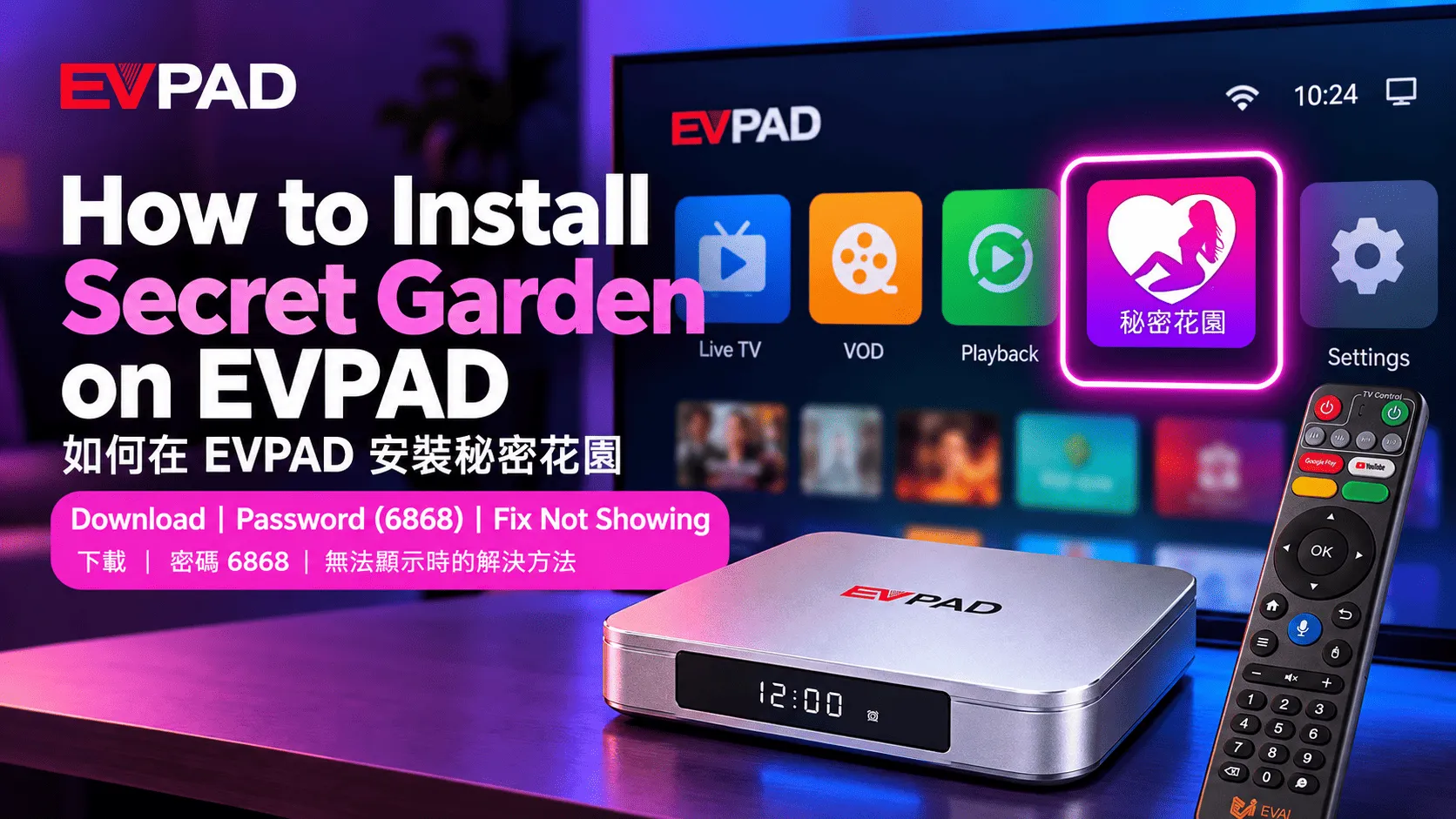
If Secret Garden is missing from your EVPAD, does not open correctly, or asks for a password, this guide will help you access it step by step.
You’ll learn how to download and install the app, enter the required password, and troubleshoot common access issues on compatible EVPAD devices. If you are still choosing a device, you can also browse the EVPAD Android TV Box Official Store.
What Is the Secret Garden App on EVPAD?
Secret Garden (evpad adult) is an 18+ application available on supported EVPAD devices. It is intended for adult users and provides access to mature-content categories through the EVPAD platform.
The app is separate from the standard EVPAD Home Screen experience, so availability and access may vary depending on the EVPAD model, software version, region, or current app distribution method.
If Secret Garden is available on your device, you may need to download or reinstall it before use. The next section explains how to find and install the app step by step.
How to Download and Install Secret Garden on EVPAD
If Secret Garden is not already installed on your EVPAD, you can download it through the EVPAD browser. The exact interface may vary slightly by model or software version, but the basic process is similar.
Step 1: Open the Browser
From the EVPAD Home Screen, open the built-in browser and make sure the device is connected to a stable internet connection.
Step 2: Go to 86868.tv
Enter 86868.tv in the browser address bar and wait for the download page to load.
Step 3: Find Secret Garden
Locate Secret Garden in the available app list and select it. If the layout looks different on your device, check the available categories or app list carefully before continuing.
Step 4: Download the Installation File
Select the download option and wait for the installation file to finish downloading. Avoid closing the browser or disconnecting the internet connection while the download is in progress.
If this is your first time installing an app manually on EVPAD, see our guide to installing apps on EVPAD for the general installation process.
Step 5: Install and Open the App
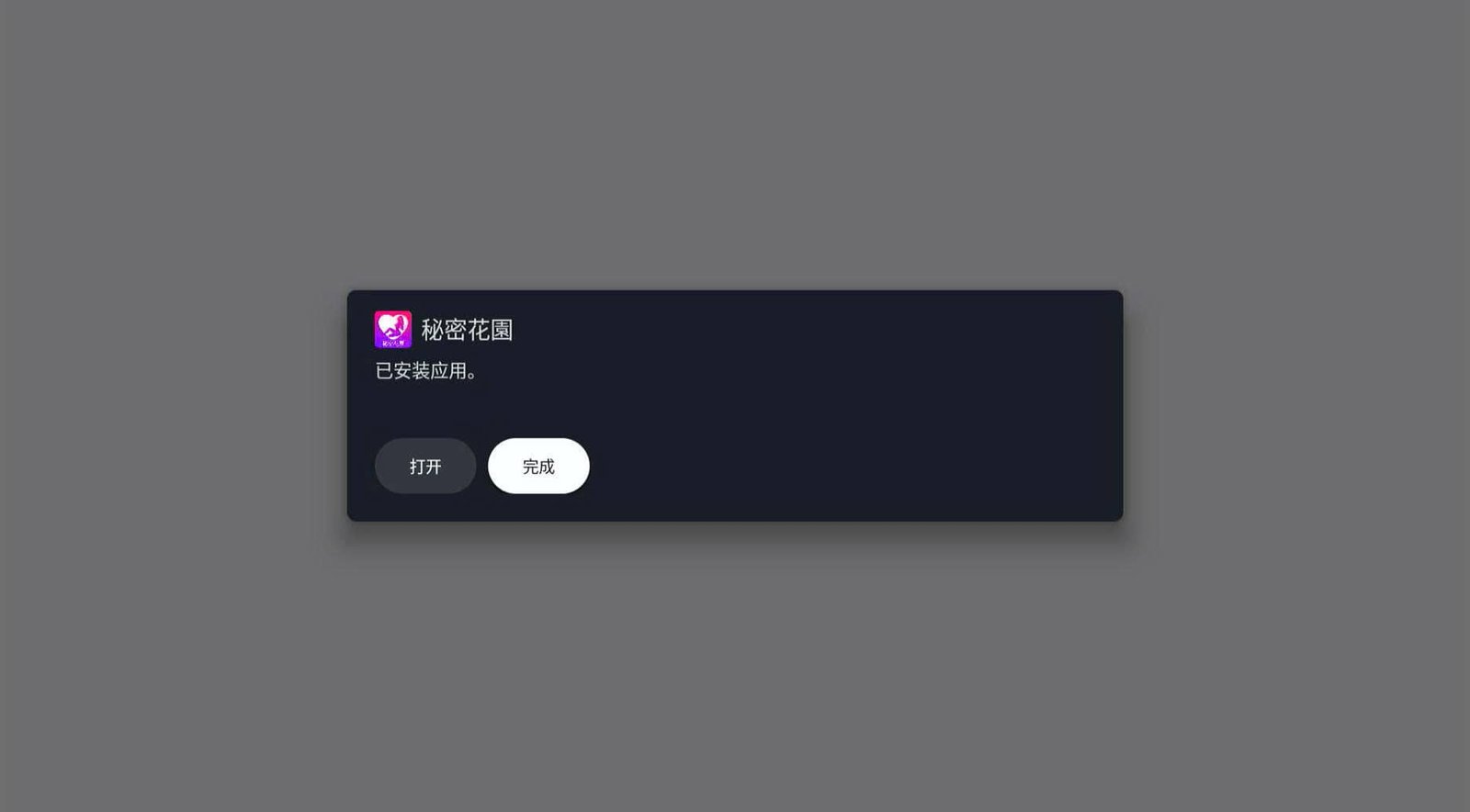
Once the download is complete, open the file and select Install. If EVPAD asks for permission to install the application, follow the on-screen instructions to continue.
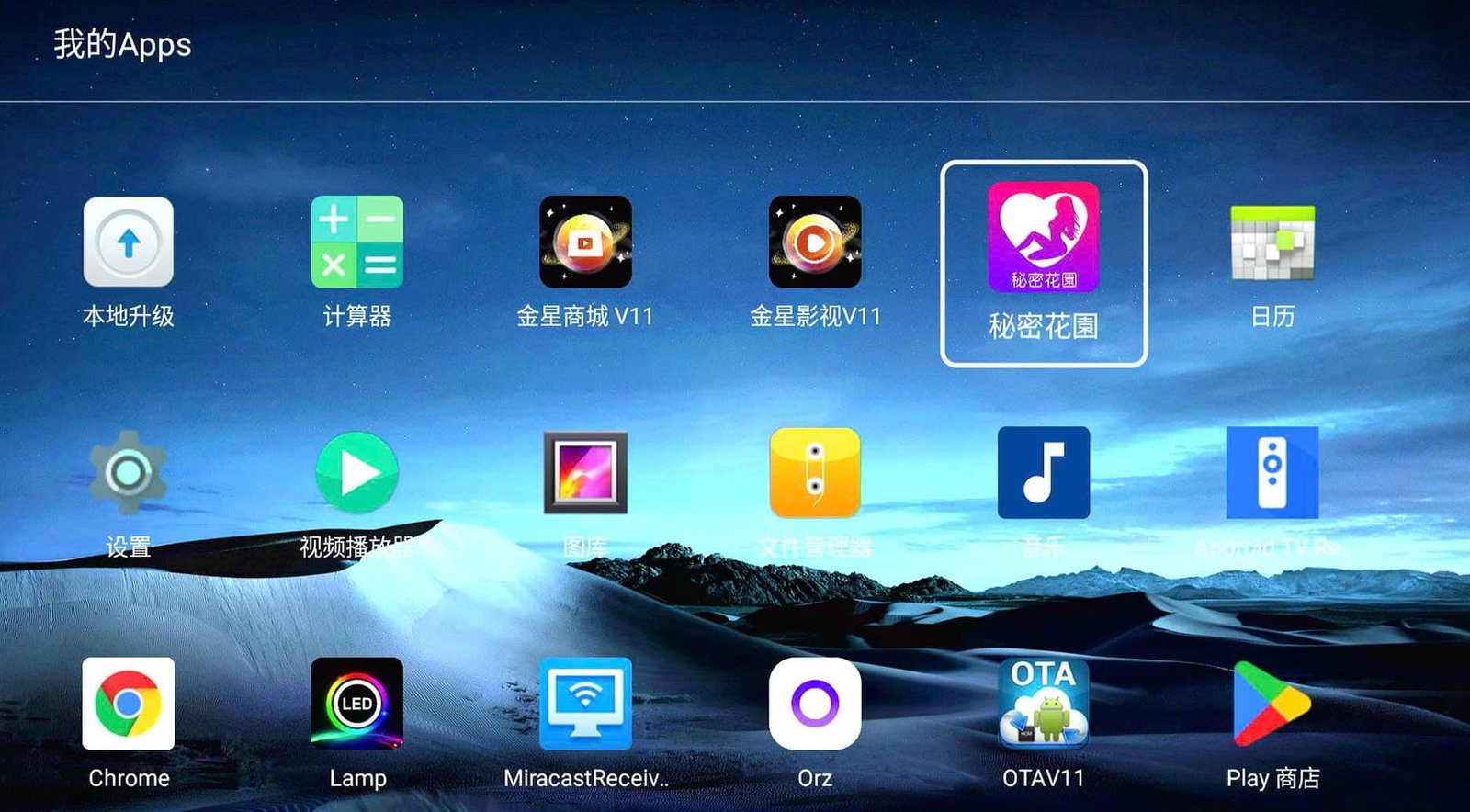
After installation, open Secret Garden from the app list. If the app requests an access password when it starts, continue to the next section for the password and access instructions.
For another example of installing an application on a newer EVPAD model, you can also see our guide to installing the Free KTV app on EVPAD 12.
Secret Garden Password and Access
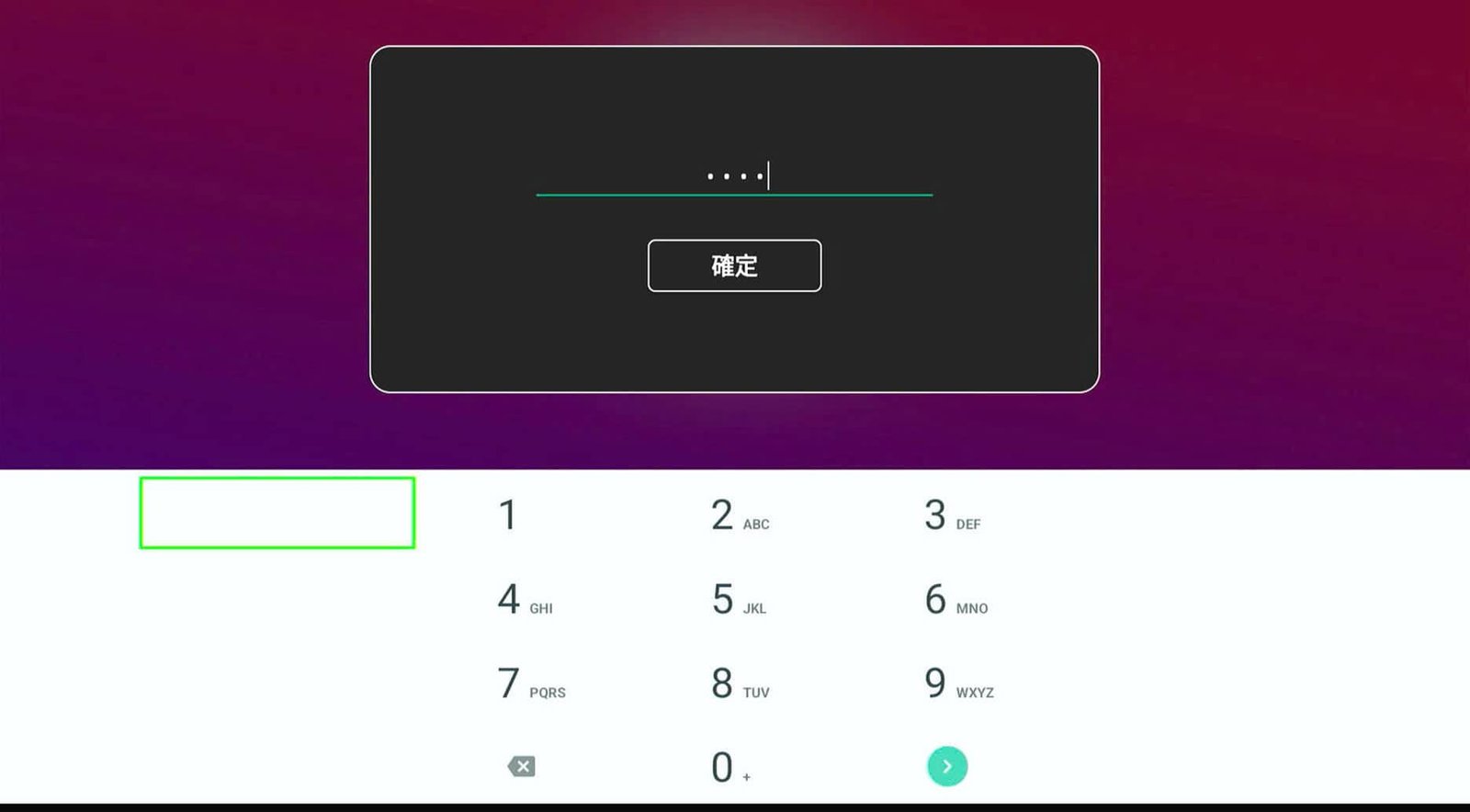
After Evpad adult is installed, the app may ask for an access password when you open it for the first time. On the current installation method described in this guide, enter 6868 when the password prompt appears.
How to Enter the Password
Open Secret Garden from the EVPAD app list, select the password field, and enter 6868 using the on-screen keyboard or remote control. Confirm the entry to continue into the app.
What If the Password Does Not Work?
If 6868 is not accepted, first make sure the password was entered correctly. You can also restart the app and try again.
If the problem continues, the access method may have changed with a newer app or software version. In that case, check the current download page and make sure you are using the latest compatible version of Secret Garden for your EVPAD.
Note: Password requirements and access methods may change over time, so the code shown in this guide should be treated as the current method rather than a permanent password for every version.
Secret Garden Not Showing on EVPAD?
If Secret Garden has been installed but does not appear on your EVPAD, the issue may be related to the app list, installation status, software version, or current app distribution method. Try the following checks before reinstalling the device or changing system settings.
Check the Full App List
Open My Apps or the full application list and look for Secret Garden there. Some apps may not appear directly on the Home Screen even when they are installed correctly.
Restart Your EVPAD
If the app was installed recently, restart the EVPAD and wait for the interface to fully load. A restart can refresh the app list and resolve temporary launcher or display issues.
Reinstall Secret Garden
If the app is missing from the full app list or does not open correctly, return to the current download page and install a fresh copy. Make sure the download finishes completely before opening the installation file.
Check the Current Download Page
If Secret Garden no longer appears where you previously found it, the available app list or download method may have changed. Revisit 86868.tv and check the current options shown for your EVPAD.
Check Model or Software Compatibility
Availability may vary by EVPAD generation, software version, or region. If Secret Garden still does not appear after reinstalling, confirm that the app is currently supported on your specific EVPAD model and system version.
If the app is installed but only missing from the Home Screen, check the full app list first before reinstalling it.
Important Notes Before Using Secret Garden
Before using Secret Garden on EVPAD, keep the following points in mind to avoid access, compatibility, and privacy issues.
For Adults Only
Secret Garden is intended for users aged 18 and above. It should not be accessed by children or minors.
Check Local Laws and Restrictions
Availability and permitted use of adult-oriented content can vary by country or region. Make sure your use of the app complies with the laws and regulations that apply where you live.
Review App Permissions and Privacy Settings
Before using the app, review any permissions it requests and only allow access that is necessary for normal operation. This is especially important when EVPAD is shared with other family members.
Use the Current Installation Source
Download the app using the current installation method provided for your EVPAD. Avoid installing copies from unknown third-party websites or unofficial mirrors, as these files may be outdated or incompatible with your device.
Availability May Change
Secret Garden availability, password requirements, and installation methods may change with app updates, EVPAD software updates, or regional differences. If the steps in this guide no longer match what appears on your device, check the current download page and your EVPAD software version before reinstalling.
Looking for a newer EVPAD?
If you are using an older EVPAD and considering an upgrade, you can explore the current EVPAD 12P options below.
Frequently Asked Questions
Is Secret Garden a Hidden App on EVPAD?
Secret Garden may not appear directly on the EVPAD Home Screen, which is why some users refer to it as a hidden app. Depending on the model and software version, you may need to find it in the full app list or install it through the available EVPAD download method.
Is Secret Garden an EVPAD Adult App or Adult Channel?
Evpad adult is an 18+ application rather than a standard EVPAD TV channel. It is installed and opened as an app on compatible EVPAD devices.
What Is the Password for Secret Garden on EVPAD?
For the installation method covered in this guide, the current access password is 6868. If the code is no longer accepted, the app version or access method may have changed, so check the current installation page before trying again.
Why Is Secret Garden Not Showing on My EVPAD?
The app may be installed without appearing directly on the Home Screen. Check the full app list first. If it is not there, restart the device and confirm that the installation completed successfully. Availability can also vary by model, software version, and current app distribution.
Is Secret Garden Available on Every EVPAD Model?
Not necessarily. Availability may depend on the EVPAD generation, system version, region, and the current distribution of the app. If you cannot find or install Secret Garden, confirm that it is currently supported on your specific device.
Conclusion
If you are trying to access Secret Garden on EVPAD, the main steps are to locate the current download page, install the app correctly, and enter the required access password when prompted. If the app does not appear after installation, check the full app list, restart the device, and confirm compatibility with your EVPAD model and software version.
Because Secret Garden is intended for users aged 18 and above, review local restrictions, app permissions, and privacy settings before use. Installation methods and access requirements may also change over time, so always follow the options currently available on your device.